Showing posts with label Email. Show all posts

Saturday, 28 May 2016

Setup Send Documents by Email in Madeira

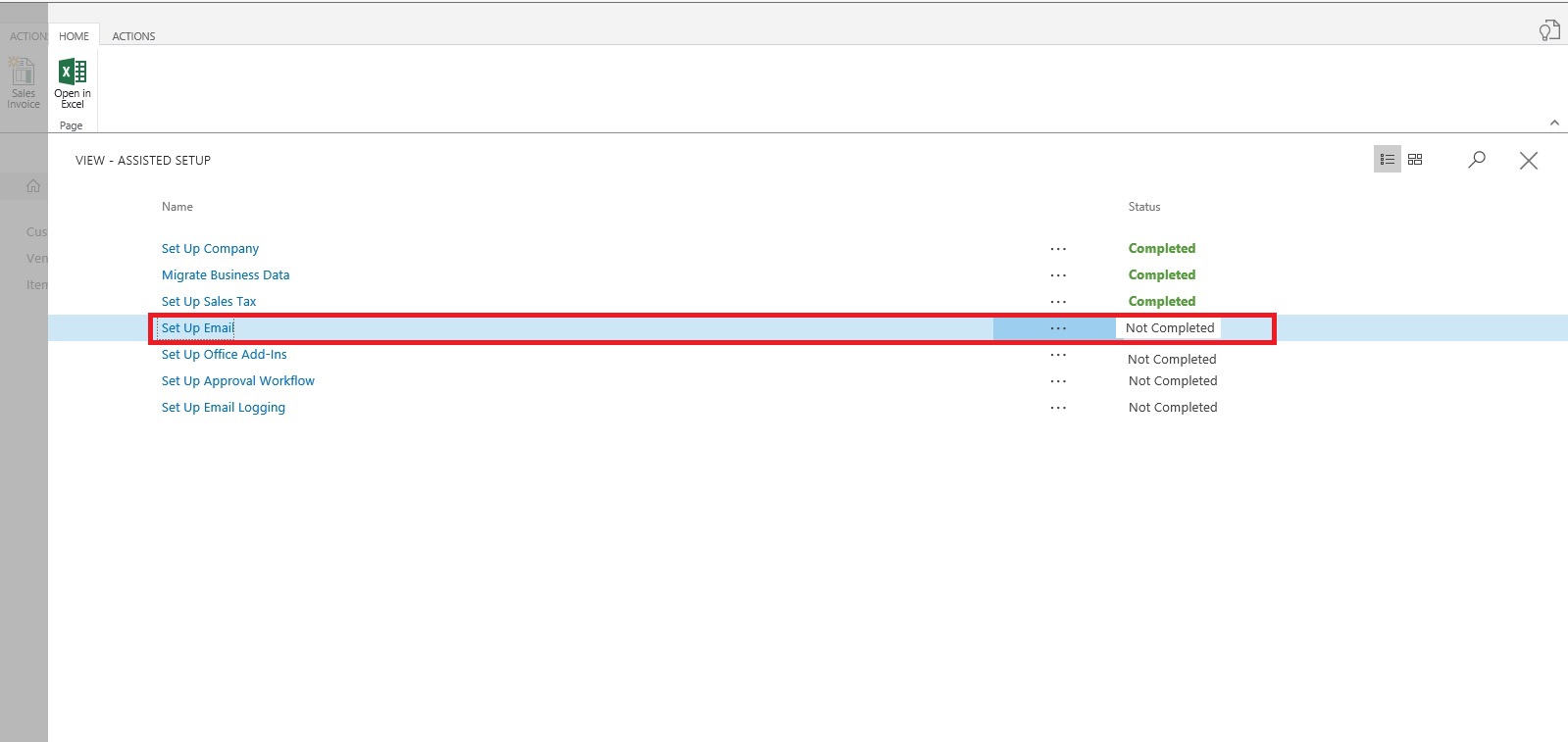
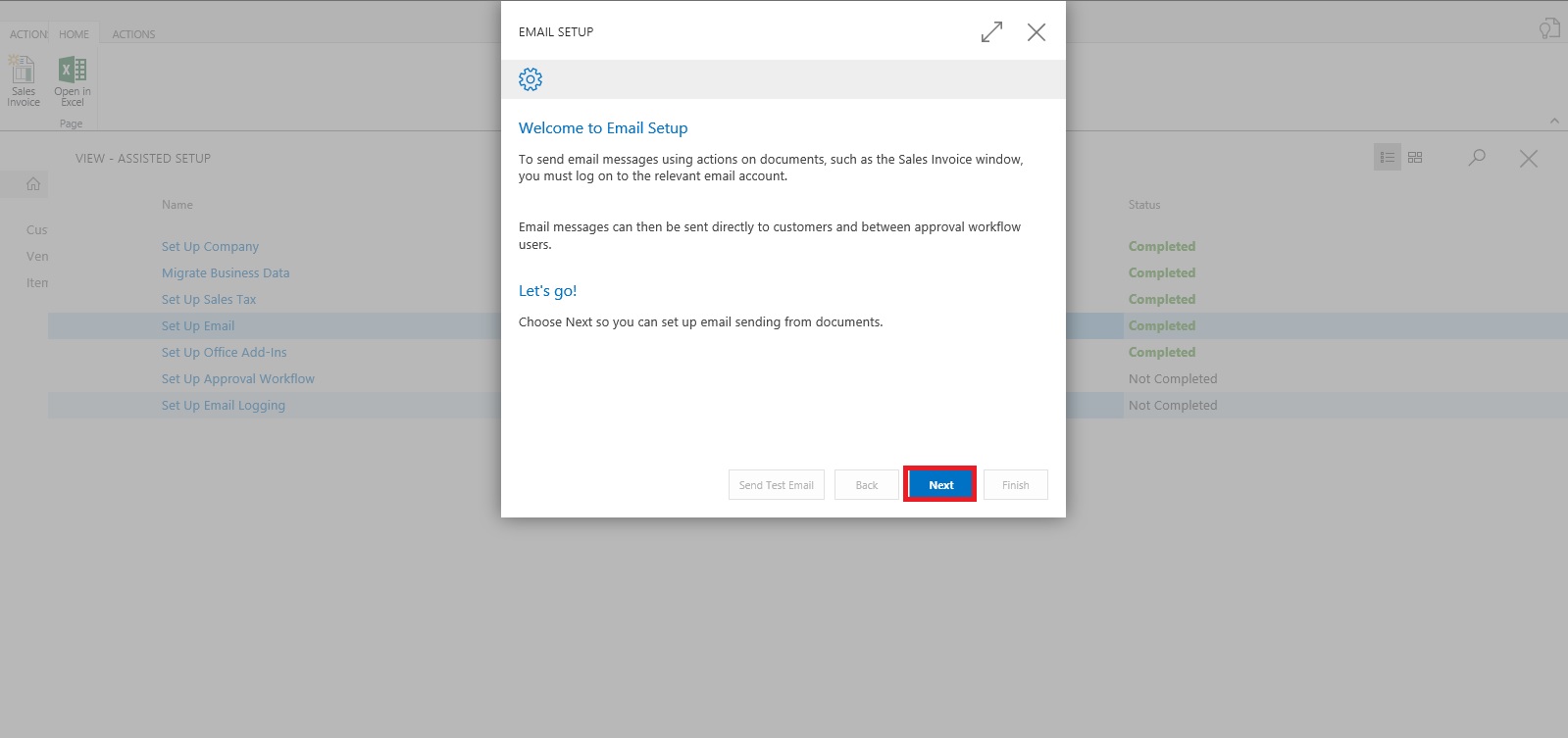
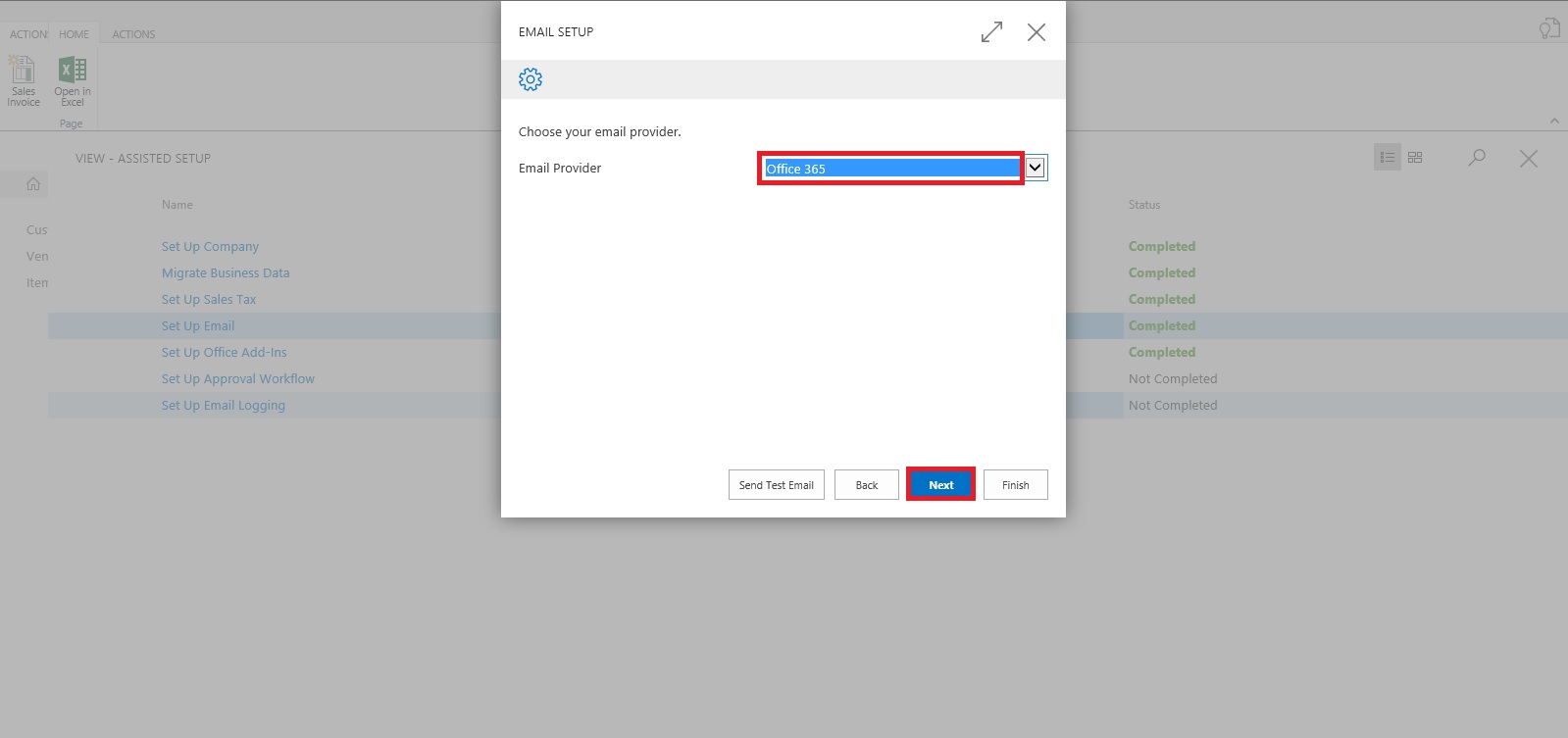
To enable emails from within Project "Madeira", start the Set Up Email assisted setup on the Home page. We have already seen this in our previous post, you can find it here.

To offer your customers to pay for sales electronically using a payment service, such as PayPal, you can also have the PayPal information and hyperlink inserted in the email body. We have already covered this in our previous post, you can find it here.

From all supported documents, you initiate emailing by choosing the Send action, on posted documents, or the Post and Send action, on non-posted documents.

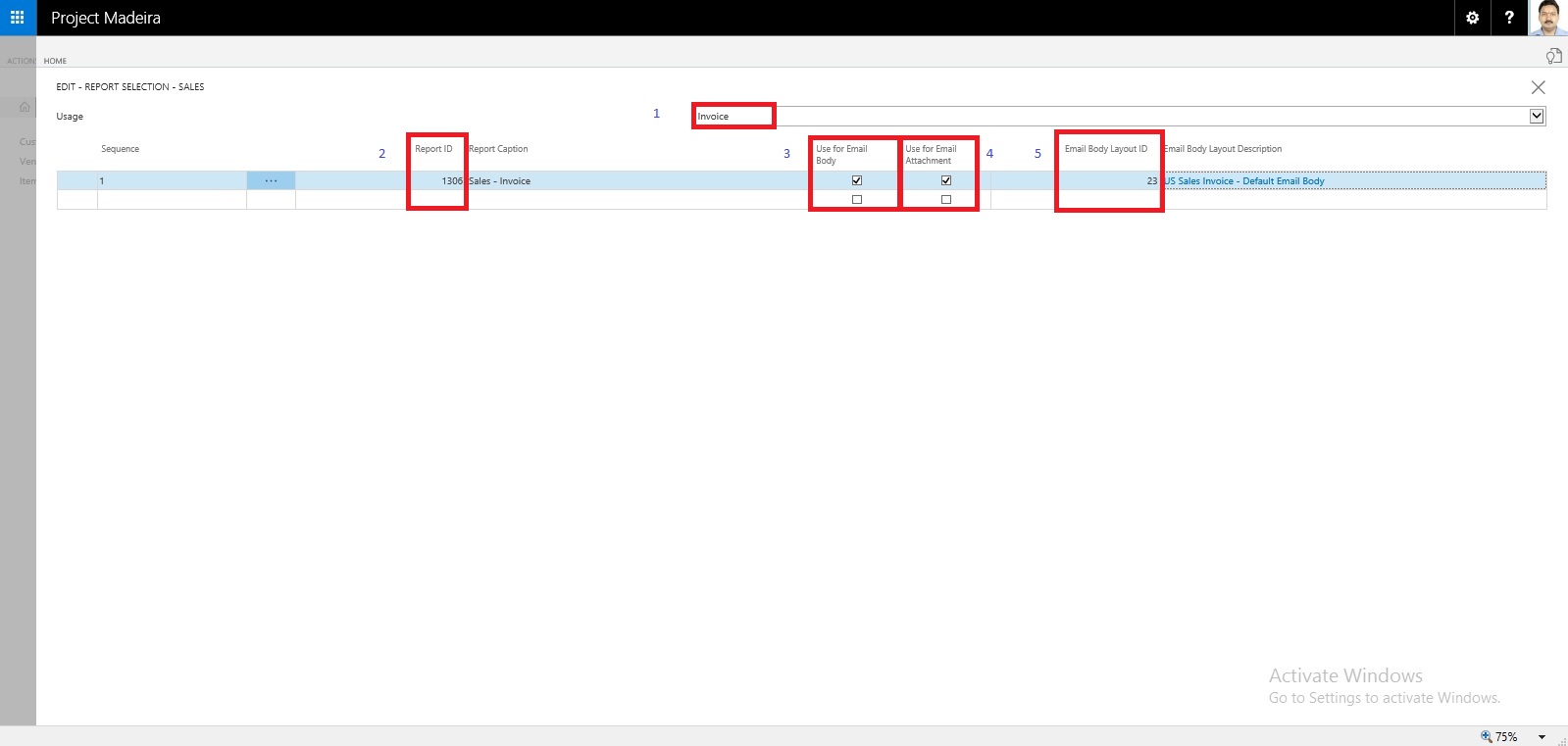
Let us Setup document-specific email body for sales invoices.

From the search page find Report Selections Sales:

SetupEmail-10

Fill the Value as shown in below screen in same sequence.
SetupEmail-11

If you want to offer customers to pay for sales electronically, you can set up the related payment service, such as PayPal, and then have the PayPal information and hyperlink inserted in the email body as well. We have already covered this in our previous post, you can find it here.

Will come up with more details & feature explaination in my upcomming posts.


Saturday, 30 April 2016

Assisted Setup (Email) in Madeira

In this post we will discuss how to setup Email.

Its very easy and single user intervention required.

SetupEmail-1

From Action Tab click on Assisted Setup & Task from the ribbon.

SetupEmail-2

On Welcome screen click on Next Button.

SetupEmail-3

Select the Email Provider and click on Next to continue.

SetupEmail-4

Enter your Email id and password, click on Next Button.

SetupEmail-5

That's it, click on Finish.

SetupEmail-6


SetupEmail-7


Just required to enter Email id and password, setup is done.

Will come with other option in my next post.

Till then keep exploring and learning.


Monday, 18 April 2016

Assisted Setup – Madeira

When you want to explore Project "Madeira" on your own, you can always go back to the Getting Started tour. See in cubes area marked.

AssistSetup-1

At Home page you will find the Assisted Setup & Tasks action. See in Ribbon marked in above screen.

Here you see a list of assisted setup that can help you getting started.

AssistSetup-2

You can migrate data such as vendors, customers, and items from your existing financial system using the Migrate Business Data assisted setup. Once you are done with this piece you are good to go ahead exploring more.

Depending on your need, check if the other assisted setup can help you in any manner.

In the Assisted Setup window, you will find the followings:


ASSISTED SETUP

Set Up Company: - Creates a new trial company for you to enter data and try out Project "Madeira". If you went through the Getting Started tour this step is probably already completed.

Migrate Business Data: - Lets you import your existing company data such as vendors, customers, and items from Excel or QuickBooks.

Set up Sales Tax: - Gets you started with default tax groups and assigning tax area codes that you can assign to customers and vendors in order to automatically calculate sales tax in sales or purchase documents.

Set up Email: - Gets you ready for sending email messages directly from sales orders or contacts in Project "Madeira".

Set up Office Add-Ins: - Sets up the ability to use and launch Project "Madeira" from Outlook.

Set up Email Logging: - Sets up the capability to log email correspondence in Project "Madeira" to follow up on interactions.


Will come up with more details in my upcoming posts.

Till then keep exploring and learning.